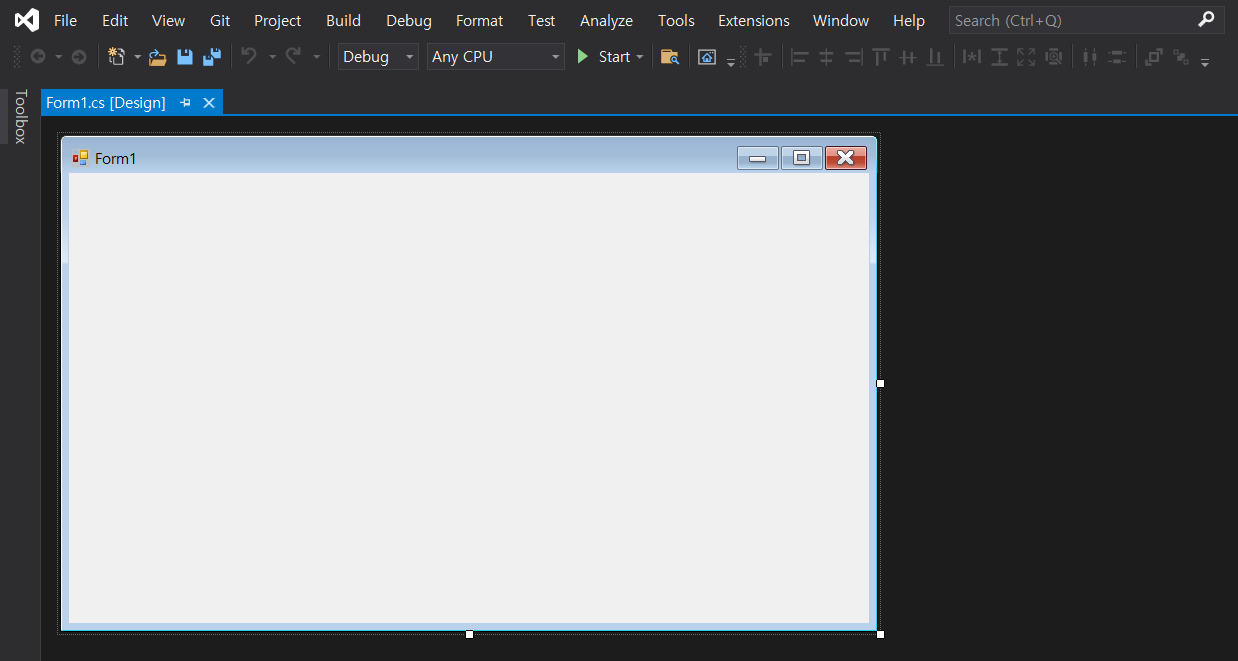
1. Visual Studio C# - WindowsForms
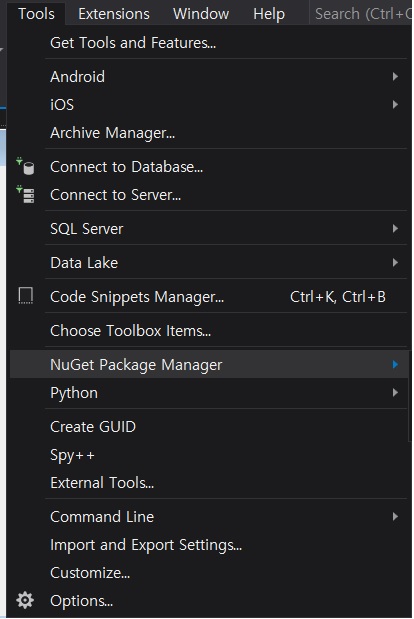
2. Tools -> NuGet Package Manager
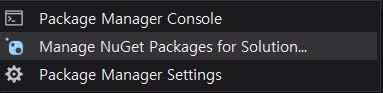
3. -> Manage NuGet Packages for Solution
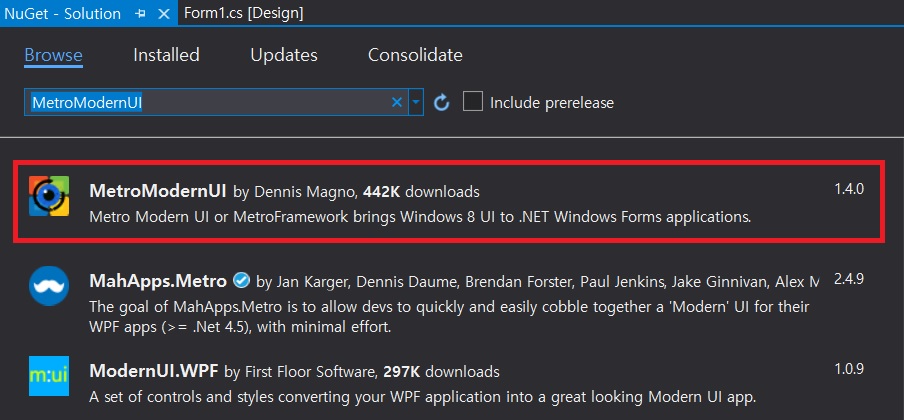
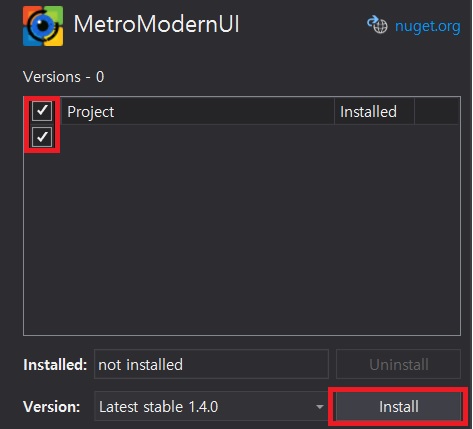
4. Browse -> 'MetroModernUI' Search and Install
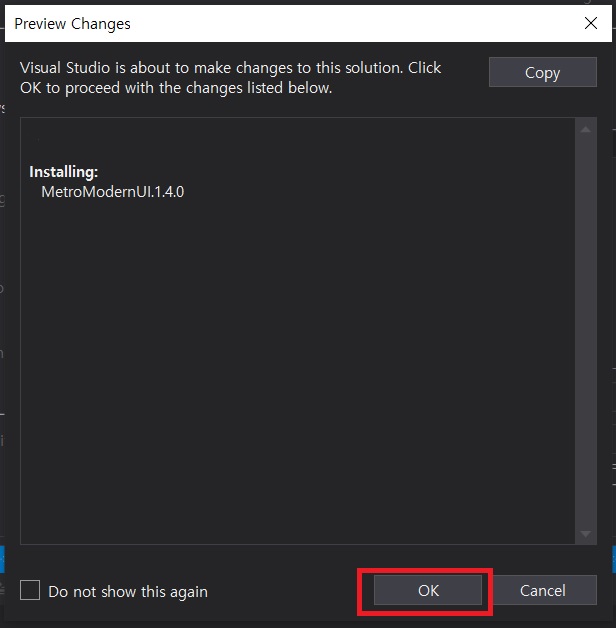
5. Preview Changes ->'OK' Button Click
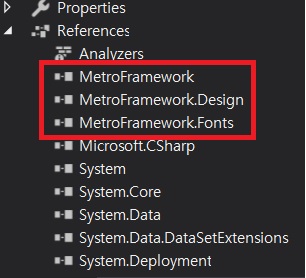
6. Just check the References of MetroFramework, MetroFramework.Design and MetroFramework.Fonts
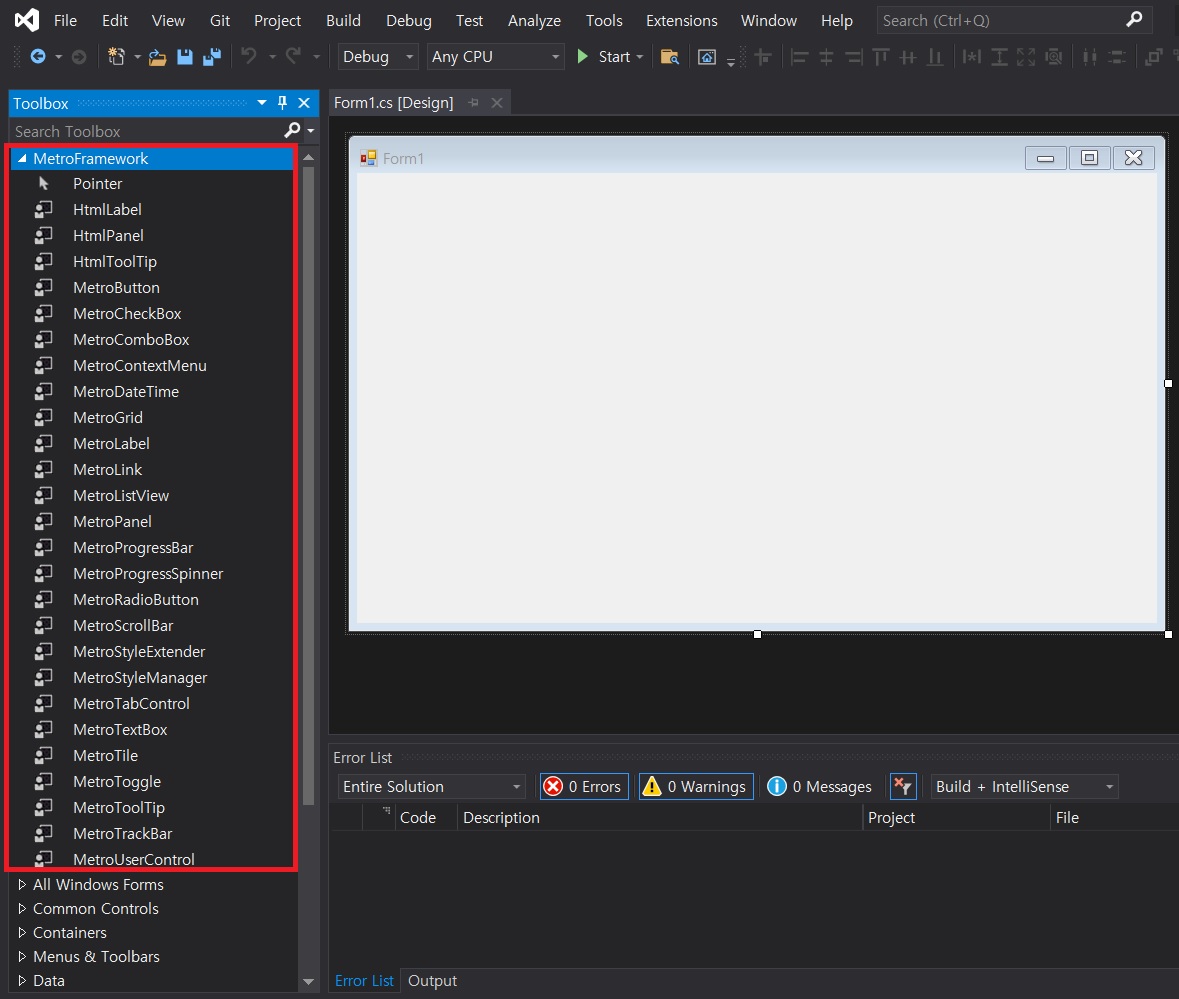
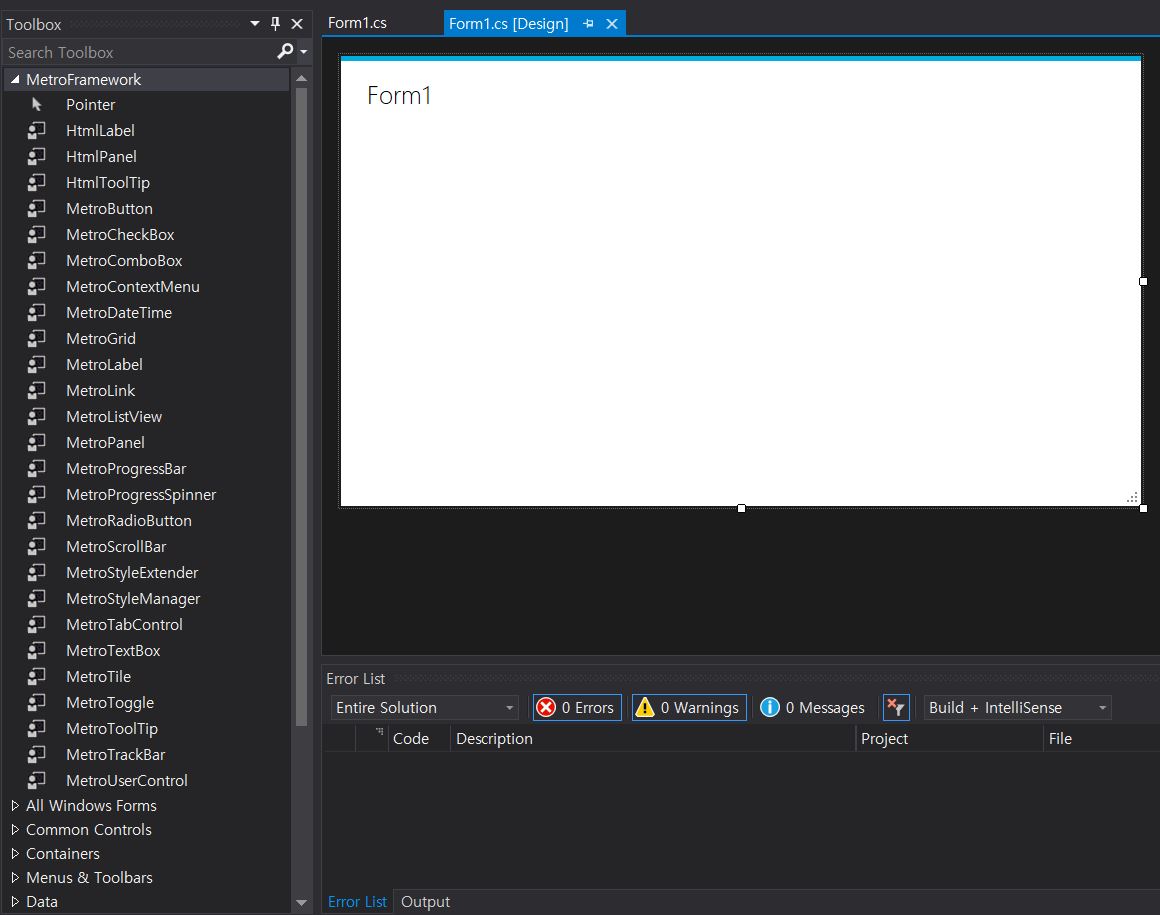
7. Form1.cs[Design] select -> just check the Toolbox of the MetroFramework
8. Form1.cs[Design] mouse right click -> view code [or F7]
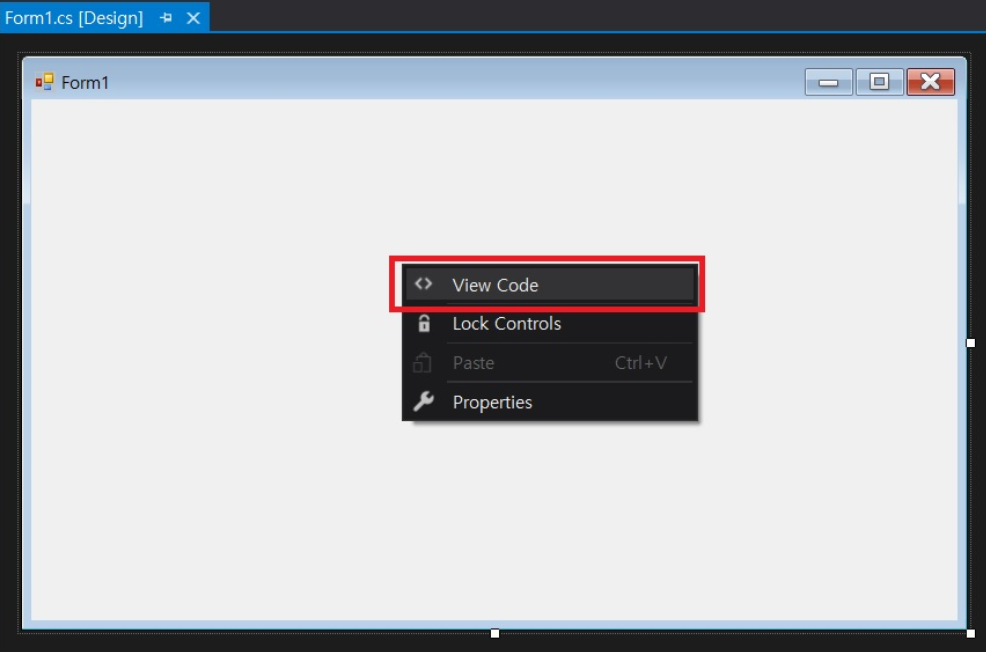
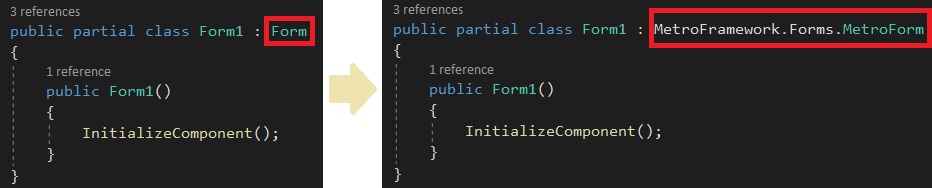
9. Form1.cs -> Code change
10. Press keyboard 'F5' or Solution rebuild
11. Check the change of Form1.cs[Design]
320x100
'Computer > C#' 카테고리의 다른 글
| C# integral types (0) | 2022.02.17 |
|---|